Online invitation with RSVP

A digital wedding invitation your guests can reply to

Your invitation is a page of your own instead of a picture in a chat: your names, the date and the schedule in one place, with the reply form right below. Send it by email, by WhatsApp or as a QR code on a card. Every yes and every no lands in your guest list.

One page with every detail Guests accept or decline online Designing costs nothing
A phone beside a stack of cream envelopes tied with a ribbon, two wedding rings and a eucalyptus sprig on ivory fabric.
What your guests open

An invitation that is a page, not a picture

A picture card disappears in the chat under the next message, and nobody can reply to it. Your invitation stays at one address, with everything your guests need to know and the form they answer on.
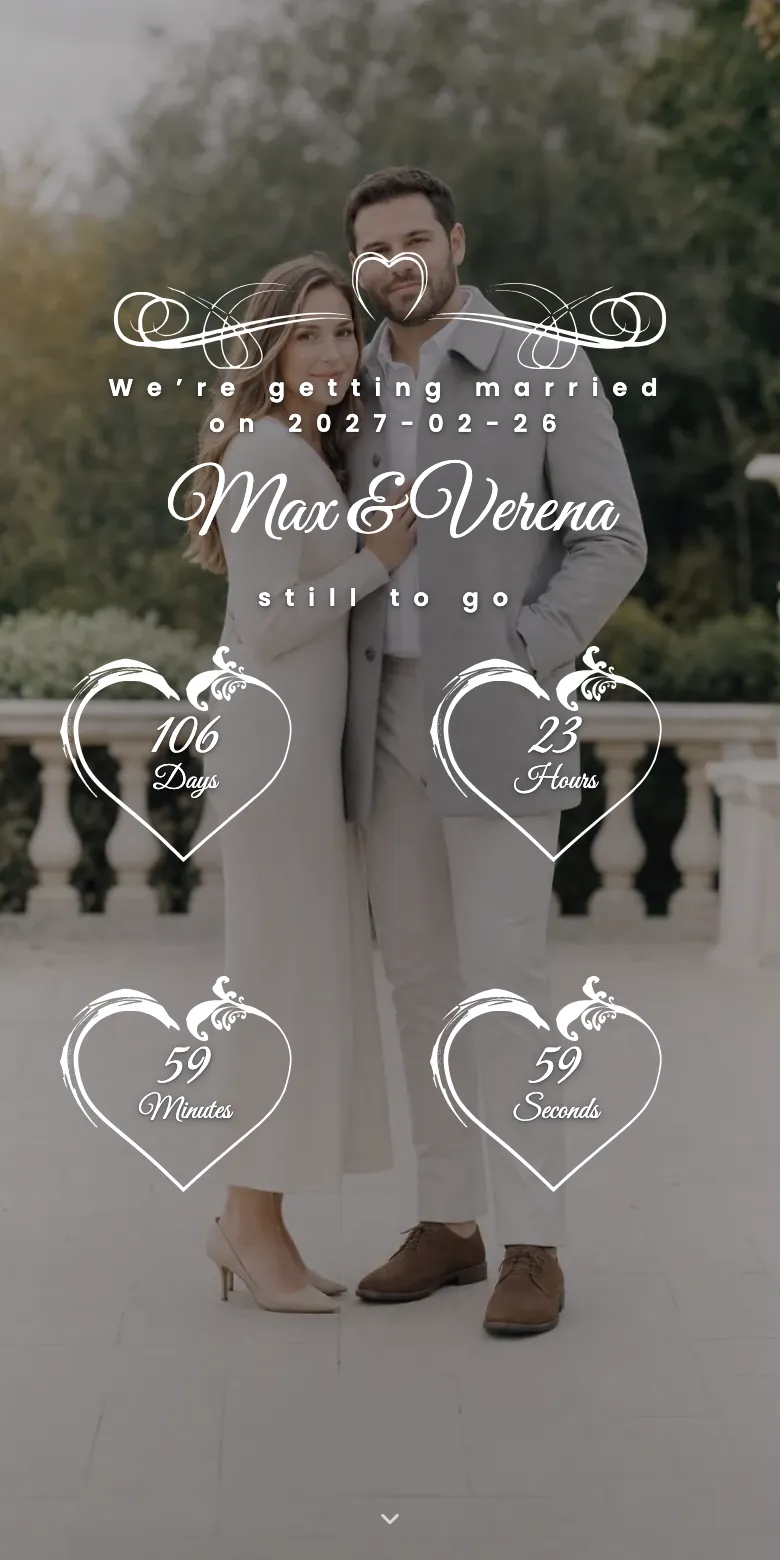
The invitation
The demo wedding as a guest sees it on a phone: the couple's names, the wedding date and the countdown.
The reply
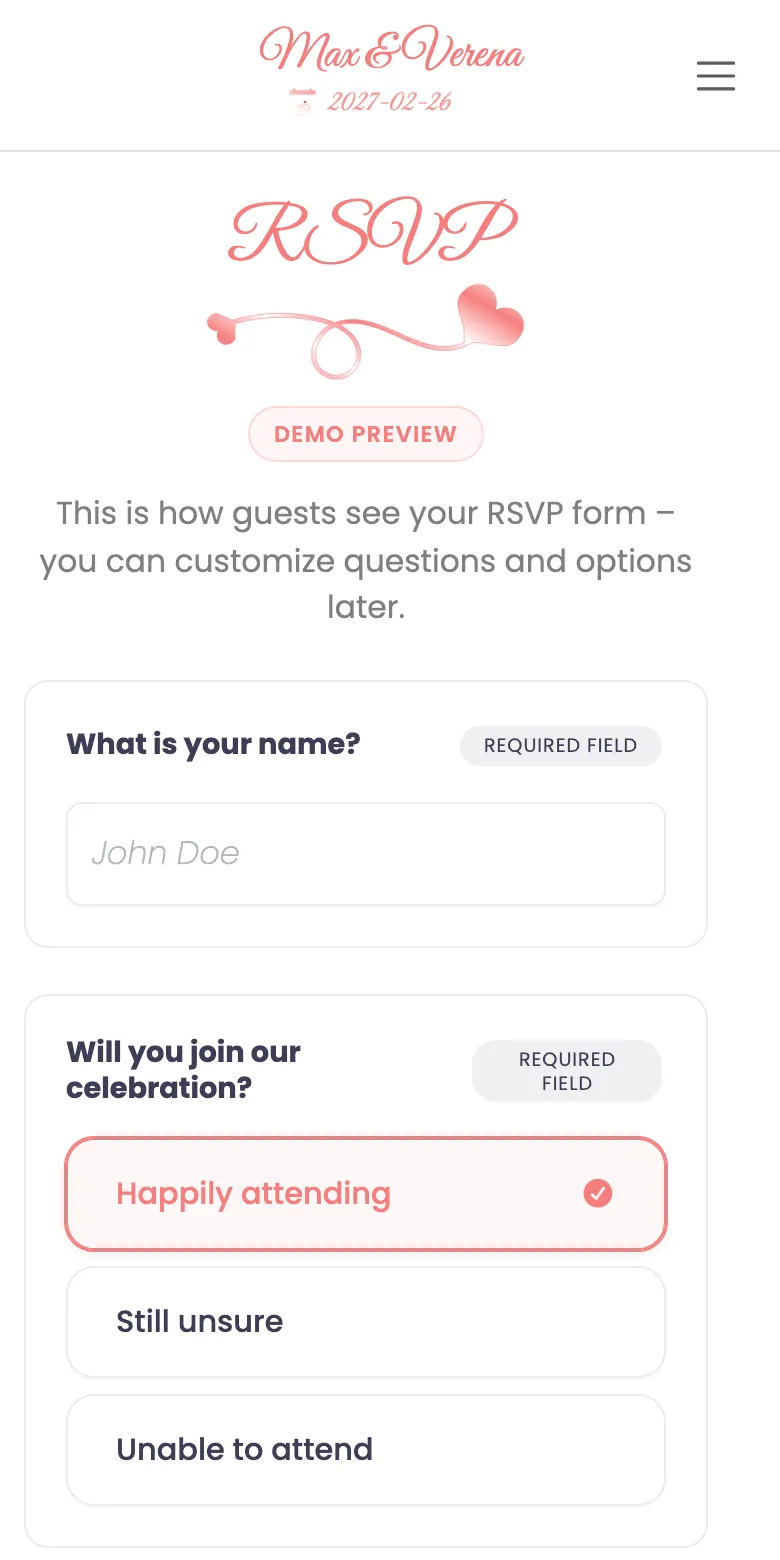
The reply form of the demo wedding on a phone: it asks for the name and whether the guest will attend.

Every detail in one place

Your names, the date with a countdown, the schedule of the day and the answers to the questions every guest asks. Each item on the schedule can carry a link, for example to the venue on a map.

Yes or no, right on the page

Coming or not, how many of you, food wishes and a message: that is the form you start with. Change the questions or add your own.

Still correct after sending

A new time or another hotel? Change the page, and every guest sees the current version. Nothing has to be sent a second time.

Only for the guests you invite

Every guest gets a personal invitation code. Unless you decide otherwise, your page opens only with it.

In your guests' language

Menus, buttons and the reply form appear in eight languages. Your own words you write the way you would say them.

The same address after the party

Switch on guest uploads, and your guests add their photos to the gallery on your page, with the code they already have.

Three ways to send it

By email, by WhatsApp or on a card

You can mix them: email for most guests, a chat message for your friends, a printed card for your grandparents. Every reply ends up in the same list.

By email The invitation goes out from your account, with your own words, your names and the date. Its personal link opens your page without a code to type. No reply yet? Send it again.
By WhatsApp or another messenger Share each guest's personal link straight from your guest list, via WhatsApp or any other app on your phone. The guest taps it and replies, without typing a code.
On a printed card Download the QR code of your page and print it on the invitation or the save-the-date card, with the guest's code written beside it.
How it works

From your draft to the first yes

Four steps. The first one is free, for as long as you like.

01 Build your page Your names, the date, the schedule, a photo of your own, a colour and a typeface.
02 Add your guests Everyone on your list gets a personal invitation code.
03 Send the invitations By email straight from your account, or as each guest's personal link via WhatsApp.
04 Read the replies They appear in your guest list, next to each name and added up for every question.
What it costs

Free to design, one payment when you send

You see your finished invitation before you spend anything.

Designing is free Create and design your invitation with no time limit and no payment details.
Sending comes with a package Premium costs €49 once, runs for one year and includes 100 invitations.
One invitation can cover a household A couple or a whole family share one code and reply together.
Good to know before you start

What this invitation is not

So that you find here what you came looking for:

Not a designed picture card

You choose a colour, a typeface and a photo of your own, and the page arranges itself. There is no card layout to build and no image or PDF to forward.

Not a video invitation

There is no animated clip with music. Your invitation opens like any website, in the browser of a phone, without an app.

Your guest list is yours to enter

We don't read your contacts. You add each guest once, with a name and, if you like, an email address. From then on the replies arrive by themselves.

Questions

Questions about the digital wedding invitation

A page of your own at an address you choose, with your names, the date, the schedule and a reply form. Your guests open it through their invitation and accept or decline right there. It is not an image file and not a PDF.

Yes. Every guest in your guest list has a personal link: share it to WhatsApp from your phone, or copy it into any other messenger. The guest taps the link and accepts or declines right away, without typing a code.

No. The invitation opens in the browser. To reply, a guest needs nothing but their personal link or invitation code.

Yes. Your names and the date are enough to begin with; you switch the reply form on later, and the address stays the same. Keep in mind that a package runs for one year from the day you buy it. If you need your page for longer, for instance for the photos after the wedding, you can renew at a lower price.

No. One invitation can stand for a couple or a family: they share one code, reply together and tell you how many of them are coming.

Creating and designing it is free. Sending it is part of a package you pay for once: Premium costs €49 for one year, with no subscription and no automatic renewal.

No. You choose a colour, a typeface and a photo of your own, and the page arranges itself. If you want a freely designed picture card, a design tool is the better choice. You can still put the link or the QR code of your page on it.

See your invitation before your guests do

Create your page, enter your names and the date and look at it in the preview. Sending is a decision for later.

Design your invitation for free

No payment details. You only pay when you send the invitations.