Table of contents
Wedding website, wedding homepage and wedding site often mean the same thing, but they create different expectations around design, RSVP and privacy. Sorting the words out early shows whether one pretty page is enough — or whether replies, guest data and a printable address belong to the job.
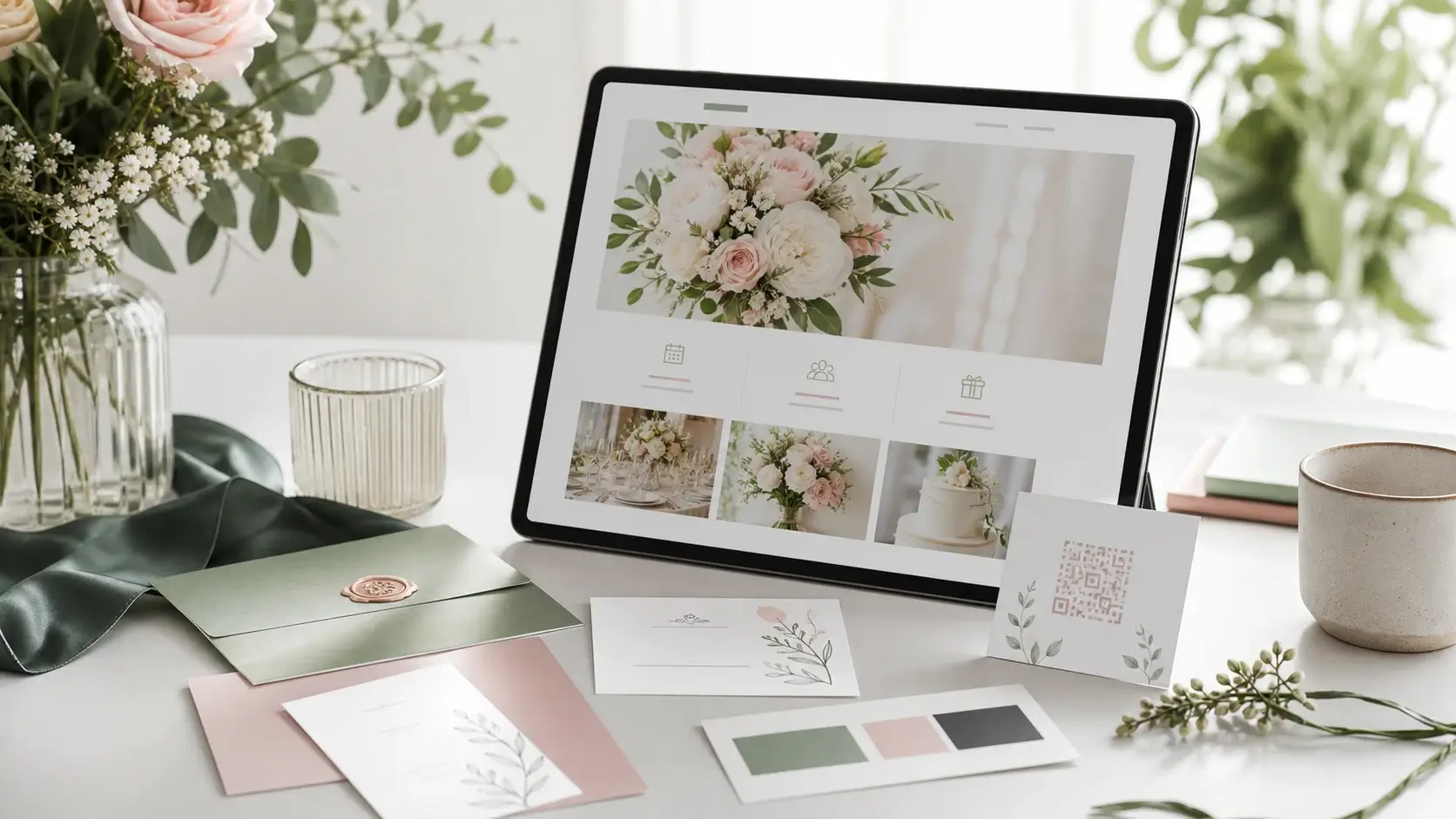
Couples searching for a wedding website or wedding homepage usually want one private information hub for guests. The important question is not the label, but whether RSVP, guest list, invite code, gallery and custom domain work together.
The words are still worth a moment, because they set different expectations. A homepage is technically only the front page of a site, while everyday use has turned it into the word for the whole thing. Ask a designer for a wedding homepage and you often get exactly that: one beautiful page with names, date and a photo — and four weeks later the replies still arrive one message at a time.
Search works the same way. People typing wedding homepage tend to look at templates and styling; people typing wedding website tend to compare features and providers. Both arrive at the same question: should the page only show something, or should it also collect something?
The public product page covers terms like create a wedding website, while the personal guest page stays private and is not exposed unnecessarily to search engines.
1. Website, homepage or site?
Wedding homepage often sounds like a single central page. Wedding website suggests a fuller experience with schedule, location, RSVP, gallery and FAQ. Wedding site is the broad everyday term.
In practice one question separates them: does the page have to take answers back? A single page shows information; a website walks guests through several areas and gathers responses along the way. Template, colour and typeface can still be changed later — this one cannot, not without rebuilding.
Sometimes the single page really is the better choice. For a small register office wedding where everyone has already said yes in person, a form is dead weight; date, address and a phone number will do. As soon as plus-ones, menu choices or a shuttle enter the picture, the effort moves from building the page to chasing the answers — and the chasing wins.
For search and for guests, these words should support each other. The public page can cover the wording; the private guest experience should stay simple.
The best term is the one your guests understand and that makes planning easier.
2. Prioritize functions over labels
Guests need date, location, travel details, dress code and schedule quickly, then they need to answer. RSVP, plus-ones, menu choices and mobile usability matter more than the exact wording.
What belongs on such a page is what guests look for, in this order: names and date, the times for ceremony and reception, an address they can paste into a maps app, travel and parking, dress code, accommodation, one contact person for the day itself — and only after that the form.
The edge cases decide whether it earns its keep. Guests travelling from abroad need the country, the full address and a note about where to stay; separated parents need two contacts side by side rather than one joint line; someone who has to cancel a week beforehand should be able to change their own answer without writing to you; and guests without a smartphone need a number where somebody enters the reply for them.
A homepage without RSVP still leaves answers scattered across chats and spreadsheets. A wedding website connects content, RSVP online and guest list in one workflow.
3. Separate custom domain and invite code
A custom domain looks better on invitation cards and is easier to remember. Private details should still be protected with an invite code or password.
The order is what actually matters: the address and the access are settled before the cards go to print. Both then sit printed on other people's kitchen tables, and a custom domain you swap afterwards turns that whole stack into waste paper. Read the address out over the phone once beforehand — double letters, hyphens and anything spelled differently from how it sounds are exactly where guests mistype.
A code is not a security barrier, it is a door. One shared code for everyone is convenient and does travel further than planned; one code per invitation is more precise, but it assumes you know which card went where. Whether a password or an invite code fits better is therefore less a technical question than a question about your guests: for older relatives, a QR code that carries the access, plus one printed line as a fallback, saves most of the phone calls.
This lets the public product page rank while the couple's actual wedding page remains accessible only to invited guests.
Related articles
4. Think about SEO and privacy together
The public product page should cover wedding website, wedding homepage and wedding site terms. The private guest page should not become a search landing page.
That protects names, locations, guest data, photos and responses while keeping product marketing and private wedding communication clearly separated.
In practice that means: no guest names in the page title, no link dropped into an open group, no address in a public post. Search engines rarely find a page on their own — they follow a link somebody left somewhere.
"Our wedding is hardly a secret" is true, and still misses the point. What would be public is not the celebration but the fact that a particular flat stands empty on a known date, and who is coming with which intolerance. So ask only for what you will actually pass on: caterers need menu choices and allergies, nobody needs dates of birth.
Plan the ending as well. After the celebration you export the list once for the thank-you cards — after that the rest can go, and with it the question of who still holds the guest data two years later.
5. Practical decision
If you only need a small information page, a simple wedding page is enough. If RSVP, guest list, gallery, invite code and domain matter, plan it as a full wedding website.
A workable rule of thumb: if everything essential fits on a postcard and you can keep track of the answers in a single chat, the one-pager is fine. As soon as plus-ones, menu choices, children, a shuttle or a second celebration appear, the maths flips — every follow-up question then costs more time than setting the page up would have.
The order that works: settle the address and the access first, then fill in the essentials — examples of the structure spare you the blank page — then send yourself a test reply, then print. Set the RSVP deadline so that a week remains between it and the caterer's final count: the last confirmations tend to arrive by phone.
Getting Married fits couples who want to start free, publish with a one-time payment and manage private guest data in a protected area.
Wedding website vs. wedding homepage is less a wording problem than a feature decision. The right solution helps guests act quickly and keeps RSVP, data and communication in one place.
Two decisions cannot be tidied up afterwards: the address printed on the cards, and the details you asked guests for. Both belong at the start of the planning, not at the end.
Everything else is allowed to grow. A page that begins as a save-the-date can carry the invitation, the schedule and the gallery later on, without a single guest having to learn a new address.
Planning your dream wedding?
Create your own wedding website in minutes – with RSVP function, photo gallery, and more.